AI Shubka
  • Home
No Result
View All Result
AI Shubka
  • Home
No Result
View All Result
AI Shubka
No Result
View All Result
  • Home
  • Affiliate & Tool Guides
  • AI & Future Tech
  • AI Learning & Tutorials
  • Business & Digital Strategy
  • Gadgets & Reviews
  • Motivation & Personal Growth
Live Activities Taking Over Your Apple Watch? Here’s the Fix

Live Activities Taking Over Your Apple Watch? Here’s the Fix

ShubkaAi by ShubkaAi
February 12, 2026
in Gadgets & Reviews, Smart gadgets & wearables
0
585
SHARES
3.2k
VIEWS
Summarize with ChatGPTShare to Facebook


In watchOS 26, the Smart Stack for your Apple Watch is pretty clever. The collection of widgets can be pulled up with a scroll of the Digital Crown, and shows you relevant information throughout your day. But sometimes, its eagerness to help can be a bit much, especially when it comes to Live Activities.
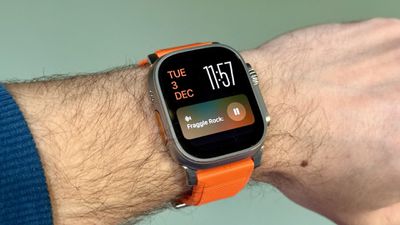
live activities watch
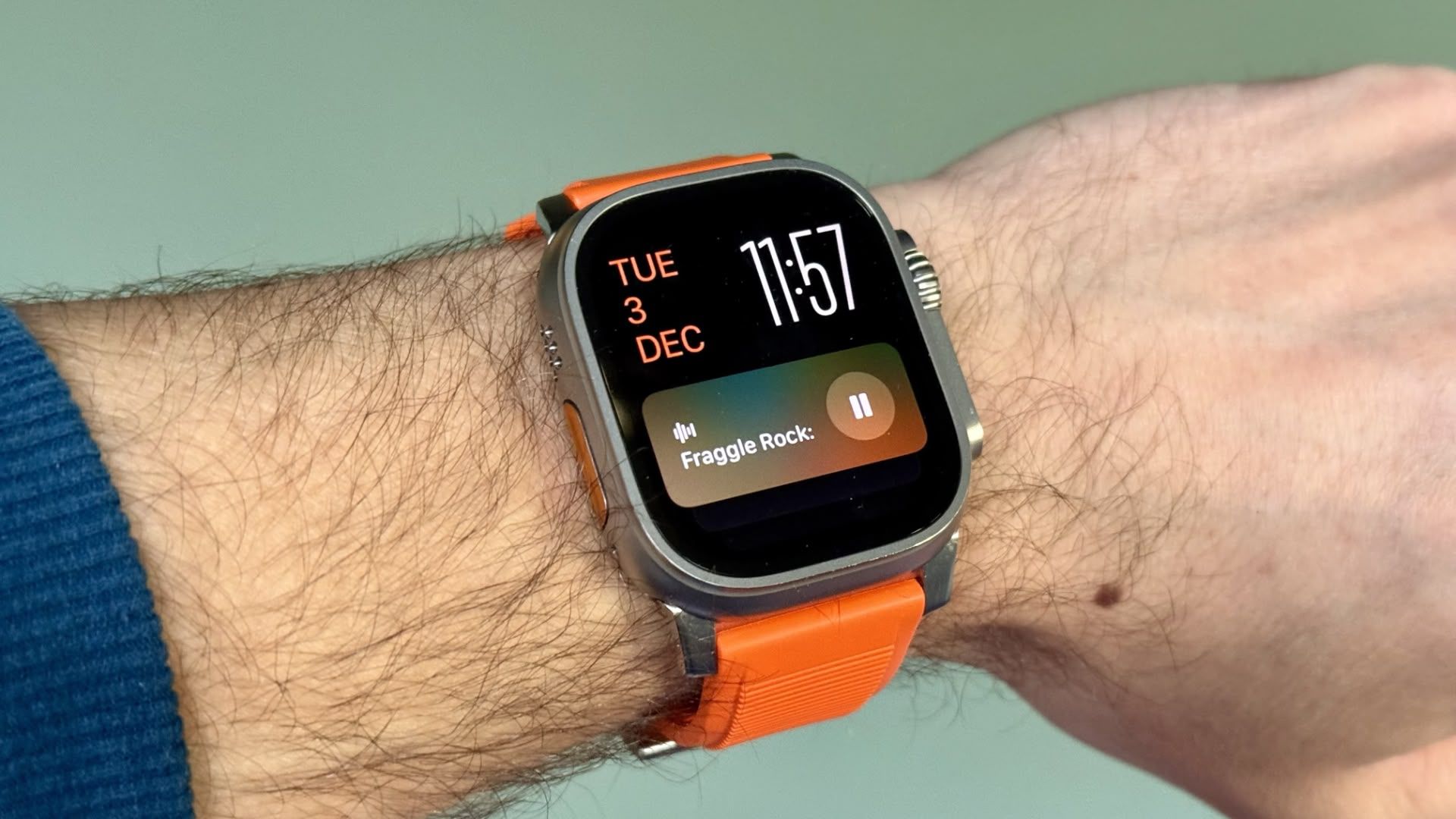
You’re probably familiar with this scenario: You raise your wrist expecting to see your customized watch face, but it’s been replaced by media playback controls because someone’s watching your Apple TV, or a timer you set earlier for cooking that still has ages left to run. Live Activities in the Smart Stack can clearly be useful, but having them automatically take over your display isn’t always ideal. Here’s how to take back control:

  1. Open Settings on your Apple Watch.
  2. Tap Smart Stack.
  3. Select Live Activities.
  4. Toggle off the switch next to Auto-Launch Live Activities.
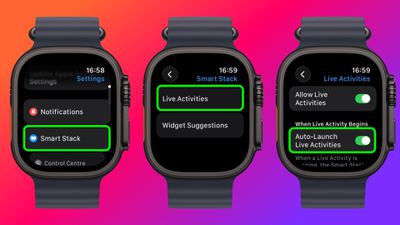
settingssettings

After disabling auto-launch, Live Activities will still be available in your Smart Stack when you want them – you’ll just need to manually scroll to see them instead of having them pop up automatically.

If you want more granular control, you’re in luck. From the same settings screen you can control which Apple apps display Live Activities. Using the Watch app on your iPhone, you can also manage Live Activities settings for third-party apps. This lets you keep the notifications you find useful while preventing the less important ones from interrupting your watch face.

Pro Tip: If it’s just those persistent media controls that bug you, head to Media Apps in the same settings menu and turn off Live Activities completely, or alternatively under “Auto-Launch,” select Off or Smart Stack for a more focused watch face experience.


Source link

SummarizeShare234
ShubkaAi

ShubkaAi

Related Stories

Google AI Introduces PaperBanana: An Agentic Framework that Automates Publication Ready Methodology Diagrams and Statistical Plots – MarkTechPost

Forget the Apple Watch Ultra 3 — I wear the Apple Watch Ultra 2 every day and it's currently $250 off for Presidents' Day – Tom's Guide

by ShubkaAi
February 12, 2026
0

Forget the Apple Watch Ultra 3 — I wear the Apple Watch Ultra 2 every day and it's currently $250 off for Presidents' Day  Tom's GuideEarly President's Day AirPods...

Apple Watch battery hacks: 5 ways to make your smartwatch last longer

Apple Watch battery hacks: 5 ways to make your smartwatch last longer

by ShubkaAi
February 12, 2026
0

The Dreame Smart Ring was one of several intriguing new wearables to debut at CES 2026. I just got my hands on a review unit, and I’m blown...

Xiaomi Watch 5: Price leaks for new global smartwatch running Wear OS

Xiaomi Watch 5: Price leaks for new global smartwatch running Wear OS

by ShubkaAi
February 12, 2026
0

Kurfürst adds that the Watch 5 will be available in a choice between Black and Juniper Green colours. Like its Chinese counterpart, the global Watch 5 is slated...

Galaxy Watch 8 is weirdly cheap right now, starting at $150

Galaxy Watch 8 is weirdly cheap right now, starting at $150

by ShubkaAi
February 11, 2026
0

The Galaxy Watch 8 was already the best deal in Wear OS at its retail price of $350, but major discounts are available right now that cut the...

Next Post
Share values of property services firms tumble over fears of AI disruption | AI (artificial intelligence)

Share values of property services firms tumble over fears of AI disruption | AI (artificial intelligence)

Leave a Reply Cancel reply

Your email address will not be published. Required fields are marked *

Ai Shubka

AI-Shubka | Smarter Business. Automated Future. Helping entrepreneurs and creators earn more with AI tools, automation, and digital strategy.

Follow us

Recent Posts

On the Future of Species — unnatural selection – Financial Times

On the Future of Species — unnatural selection – Financial Times

March 1, 2026
New to Claude? Use these 6 simple starter prompts to unlock better answers instantly

New to Claude? Use these 6 simple starter prompts to unlock better answers instantly

March 1, 2026

Weekly Newsletter

© 2026 aishubka - Smarter Business. & Automated Future. by aishubka.

Powered by
►
Necessary cookies enable essential site features like secure log-ins and consent preference adjustments. They do not store personal data.
None
►
Functional cookies support features like content sharing on social media, collecting feedback, and enabling third-party tools.
None
►
Analytical cookies track visitor interactions, providing insights on metrics like visitor count, bounce rate, and traffic sources.
None
►
Advertisement cookies deliver personalized ads based on your previous visits and analyze the effectiveness of ad campaigns.
None
►
Unclassified cookies are cookies that we are in the process of classifying, together with the providers of individual cookies.
None
Powered by
No Result
View All Result
  • Home
  • Affiliate & Tool Guides
  • AI & Future Tech
  • AI Learning & Tutorials
  • Business & Digital Strategy
  • Gadgets & Reviews
  • Motivation & Personal Growth

© 2026 aishubka - Smarter Business. & Automated Future. by aishubka.